How to Apply on National Job Portal (NJP) 2026 – Guide
Updated on August 14, 2026
🔄 Last updated: August 14, 2026
national job portal The National Job Portal (NJP) at njp.gov.pk is the Government of Pakistan’s official platform for federal government vacancies. Ministries including IT & Telecom, Railways, Planning & Development, and Federal Education advertise here, and for many of those posts NJP is the only accepted route — there is no postal application and no walk-in submission.
This guide walks through the whole process, from creating an account to submitting an application, and flags the mistakes that get candidates rejected before anyone even reads their CV. Applying at the provincial level instead? See our Punjab Job Portal guide.
Before You Start: What You Need Ready
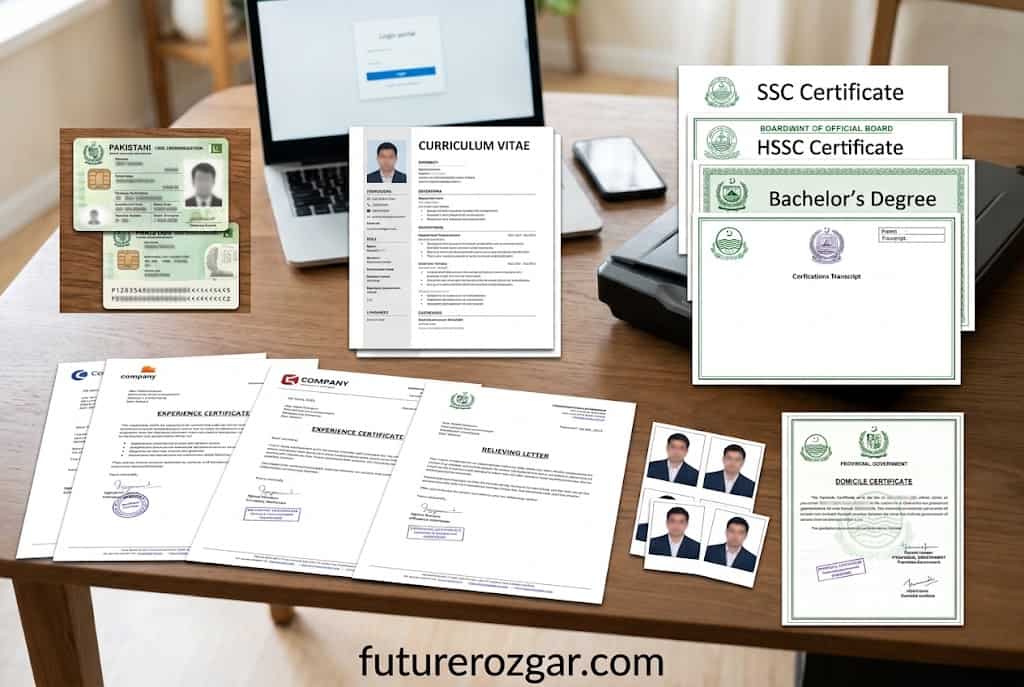
Scan these documents before you open the portal. Applications time out, and hunting for a degree scan mid-application is how people miss deadlines.
Register using your CNIC number, name, email and mobile number. Your CNIC is your identity on the portal — one CNIC, one account.
Verify your email address. Check spam if the verification mail does not arrive within a few minutes.
Log in with your new credentials.
Use an email you actually check. Shortlisting notifications, test call letters and interview dates all go to this address. A dead email address is one of the most common self-inflicted rejections.
Step 2: Complete Your Profile (Do Not Skip This)
NJP works on a profile-based system. When you apply for a job, the portal submits your saved profile — not a fresh form. If your profile is half-filled, your application is half-filled.
Fill in every section:
Personal details — name and date of birth must match your CNIC exactly
Domicile — this determines your quota eligibility on many federal posts
Education — each degree, with institution, year and marks/CGPA
Experience — each role, with employer, exact start and end dates, and designation
Documents — upload every scan in the requested format and size
Experience dates matter more than you think. When a post says “15 years+”, the system and the screening committee both calculate from the dates in your profile. Vague or missing dates get read as insufficient experience.
Step 3: Find the Right Job
Click Browse All Jobs to see every live federal vacancy.
Use the scale filter (BPS, PPS, MP, Consultant, and so on) to narrow results to your level.
Check the experience requirement and the closing date on each listing.
Click View Details to read the full terms of reference.
Read the TORs properly. Two posts with the same title can have completely different scope, qualifications and reporting lines. The summary card does not tell you what the job actually is.
Step 4: Apply
On the job page, click Login to Apply (or Apply if already logged in).
Review the profile data the portal will submit. Fix anything outdated before submitting.
Attach any post-specific documents the advertisement asks for.
Submit, and save or screenshot the confirmation. That is your proof of application.
This matters more than any application tip on this page.
NJP is free. There is no application fee for NJP itself. No agent, no “processing charge”, no “file opening fee”.
Nobody can guarantee you a government job. Selection is on merit through documented screening. Anyone claiming influence with a ministry is lying and taking your money.
Only use njp.gov.pk. Fake portals with similar names harvest CNIC numbers, passport details and photographs for identity fraud.
Government offices do not ask for money over WhatsApp. If a “call letter” arrives with a bank challan you were not told about in the advertisement, verify it directly with the ministry.
Disclaimer: FutureRozgar is an independent information website. We are not affiliated with the Government of Pakistan or the National Job Portal, we do not charge any fee, and we cannot influence any selection process. Always verify procedures and deadlines on the official portal. Read More: MOITT Consultant Jobs 2026 – Ministry of IT & Telecom Islamabad | Last Date 15 July 2026