NJP Online Apply Guide 2026 — National Jobs Portal Steps
Updated on August 14, 2026
🔄 Last updated: August 14, 2026
NJP Online Apply Guide is the Government of Pakistan’s central online platform for federal recruitment. Ministries, authorities and public-sector organisations now advertise a large share of their vacancies exclusively on njp.gov.pk, and for most of those posts there is no paper form at all — if your NJP account and profile are not ready, you cannot apply.
This guide walks through the whole process step by step: creating an account, building the profile that recruiters actually see, applying for a vacancy, and tracking your application afterwards. It also covers the mistakes that get applications rejected. Bookmark it once, and use it every time a new NJP vacancy appears.
What Is the National Jobs Portal?
NJP is an official Government of Pakistan employment platform that brings vacancies from more than 200 government departments into one place. Every posting on the portal is authenticated by the recruiting organisation, applications are submitted online, and candidates can track their status inside their account instead of waiting for postal letters.
Key things to understand before you start:
One account, many jobs. You register once, build one profile, and use it to apply for every NJP vacancy. The effort you put into your profile pays off on every future application.
The profile is the application. For most NJP posts there is no separate form — the recruiting organisation sees the personal, education and experience sections of your profile. An incomplete profile means an incomplete application.
Everything is online. There is no need to visit an office or send documents by post at the application stage. Original documents are checked later, at test or interview.
What You Need Before Registering
A valid CNIC in your own name.
An active email address that you actually check — portal notifications and shortlisting updates arrive there.
An active mobile number registered against your own CNIC.
Scanned copies of your educational certificates, transcripts and experience letters, saved as clear, readable files.
A recent passport-size photograph in digital form.
Prepare the scans first. Half the frustration people have with NJP comes from starting the form and then hunting for documents midway. Our government-job documents checklist lists everything worth scanning in advance.
Step 1 — Create Your NJP Account
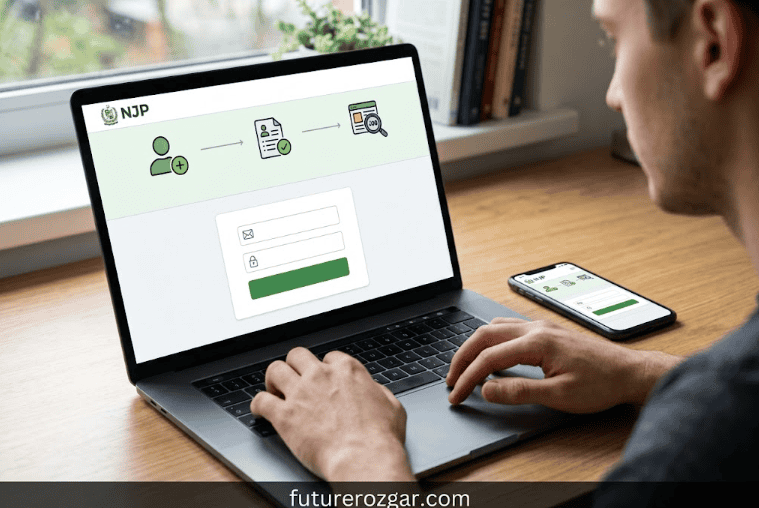
Open www.njp.gov.pk in your browser. Type the address yourself — do not follow login links from unknown Facebook or WhatsApp posts.
Click Sign Up.
Enter your name exactly as printed on your CNIC, your CNIC number, email address and mobile number.
Set a strong password and complete any verification step the portal asks for.
Confirm your email if a verification message arrives, then sign in.
Use your own CNIC and your own email. Accounts made on a shopkeeper’s email address are a common and completely avoidable problem — if you lose access to that inbox, you lose your shortlisting notifications with it.
Step 2 — Complete Your Profile Properly
This is the step that decides whether your applications succeed. Work through every section of the profile:
Personal information: Name, father’s name, date of birth, domicile and address — all exactly as they appear on your official documents. A date of birth that differs from your matric certificate can sink an otherwise strong application.
Education: Enter every qualification from matric onwards, with the correct board or university, passing year, and marks, division or CGPA. Attach the certificate or transcript scan wherever the portal asks for one.
Experience: Add each job separately with the employer’s name, your designation, and accurate start and end dates. Where a vacancy demands “post-qualification experience”, the recruiting organisation counts it from these dates — so enter them honestly and keep the experience letters that prove them.
Photograph and documents: Upload a recent photograph and clear scans. Blurry uploads are one of the most common reasons profiles look incomplete to recruiters.
Treat the profile like a CV that a government recruiter will read line by line — because that is exactly what it is. If your CV itself needs work first, our CV writing guide covers the structure.
Step 3 — Find and Apply for a Vacancy
Browse the jobs section on the portal, or open the direct NJP link from a vacancy listed on FutureRozgar.
Read the full advertisement: qualification, experience, age limit, quota and closing date. Compare every condition with your own documents before applying.
Click Login to Apply on the job page and sign in to your account.
Review the details the portal pulls from your profile, add anything the specific vacancy asks for, and submit.
Save a screenshot or PDF of the submitted application for your records.
Two rules worth repeating. First, check your age against the advertised limit before you apply — our age calculator for government jobs does this in seconds. Second, never claim a qualification, experience period or quota you cannot back up with documents; verification happens before appointment, and a false claim ends the candidacy.
Step 4 — Track Your Application
After submission, the application status is visible inside your NJP account, and the portal sends notifications as the recruiting organisation processes it. Sign in every few days while a vacancy you applied for is being processed, and keep your registered email and mobile active — shortlisting, test and interview updates arrive through them, not by post.
Common Mistakes That Get NJP Applications Rejected
Applying with an incomplete profile. Missing education entries or absent document scans are read as ineligibility.
Name or date-of-birth mismatch between the profile and the CNIC or matric certificate.
Applying against the wrong level. Many NJP posts are advertised at two levels (for example Manager and Director) with different experience thresholds — apply at the level your documented experience supports.
Waiting until the last day. The portal is busiest near deadlines. Submit at least two or three days early.
Ignoring corrigenda. Organisations sometimes amend criteria or extend deadlines after publication. Re-open the official listing before the closing date.
NJP Online Apply Guide Help and Contact
If the portal itself misbehaves — verification emails not arriving, uploads failing, profile errors — contact NJP support directly: email info@njp.gov.pk or call 051-9265411 / 051-9265062 during office hours. For questions about a specific vacancy’s criteria, contact the recruiting organisation named in the advertisement; NJP hosts the listing but does not decide eligibility.
Frequently Asked Questions
Is there any fee for applying through NJP?
NJP account creation is free. Never pay any individual who claims to submit NJP applications or guarantee selection — official government recruitment through the portal does not work that way. If a specific vacancy carries a test fee, the official advertisement itself will say so.
Can I apply for more than one job with the same account?
Yes. One account serves all NJP vacancies. Apply for as many posts as you genuinely qualify for.
What if I made a mistake in my profile after applying?
Correct your profile immediately for future applications, and contact NJP support about the submitted one. This is exactly why reviewing everything before pressing submit matters.
Do all government jobs come through NJP?
No. FPSC, PPSC and other provincial commissions, testing services like NTS and ETEA, and many organisations’ own portals also handle recruitment. NJP covers a large share of federal ministry and authority vacancies. For the full landscape, read our guide on applying through NJP, PPSC, FPSC and NTS.
How do I know an NJP vacancy is genuine?
Every listing on njp.gov.pk is posted by the recruiting organisation itself. If you found the job somewhere else, open the NJP link and confirm the details there before applying — and treat any “agent” offering guaranteed selection as fraud.
Keep Your Profile Ready
The single best habit for NJP is simple: keep your profile complete and current before you need it. New federal vacancies often run for only two to three weeks, and candidates who already have a finished profile apply in minutes while others scramble to scan documents. Check the latest NJP vacancies on FutureRozgar’s government jobs section, and set aside one evening this week to bring your profile up to date.
Disclaimer: FutureRozgar is an independent information website and is not affiliated with the National Jobs Portal or any recruiting organisation. Portal features and figures were checked at the time of writing and may change; always follow the instructions on njp.gov.pk and in the official advertisement. Read More: Documents Required for Government Jobs in Pakistan — Complete Checklist